One platform for your
installation business
From customers and quotes to planning, field work, installation and invoicing. Currently is the all-in-one software for installers in the sustainable energy industry.
One system, from first call to final margin
Most systems cover a stretch of the route: the quote, or the planning, or the invoicing. Currently walks the whole of it, and every step writes to the same file.
Request
Quote
Schedule
Purchasing
Installation
Invoice
Costing
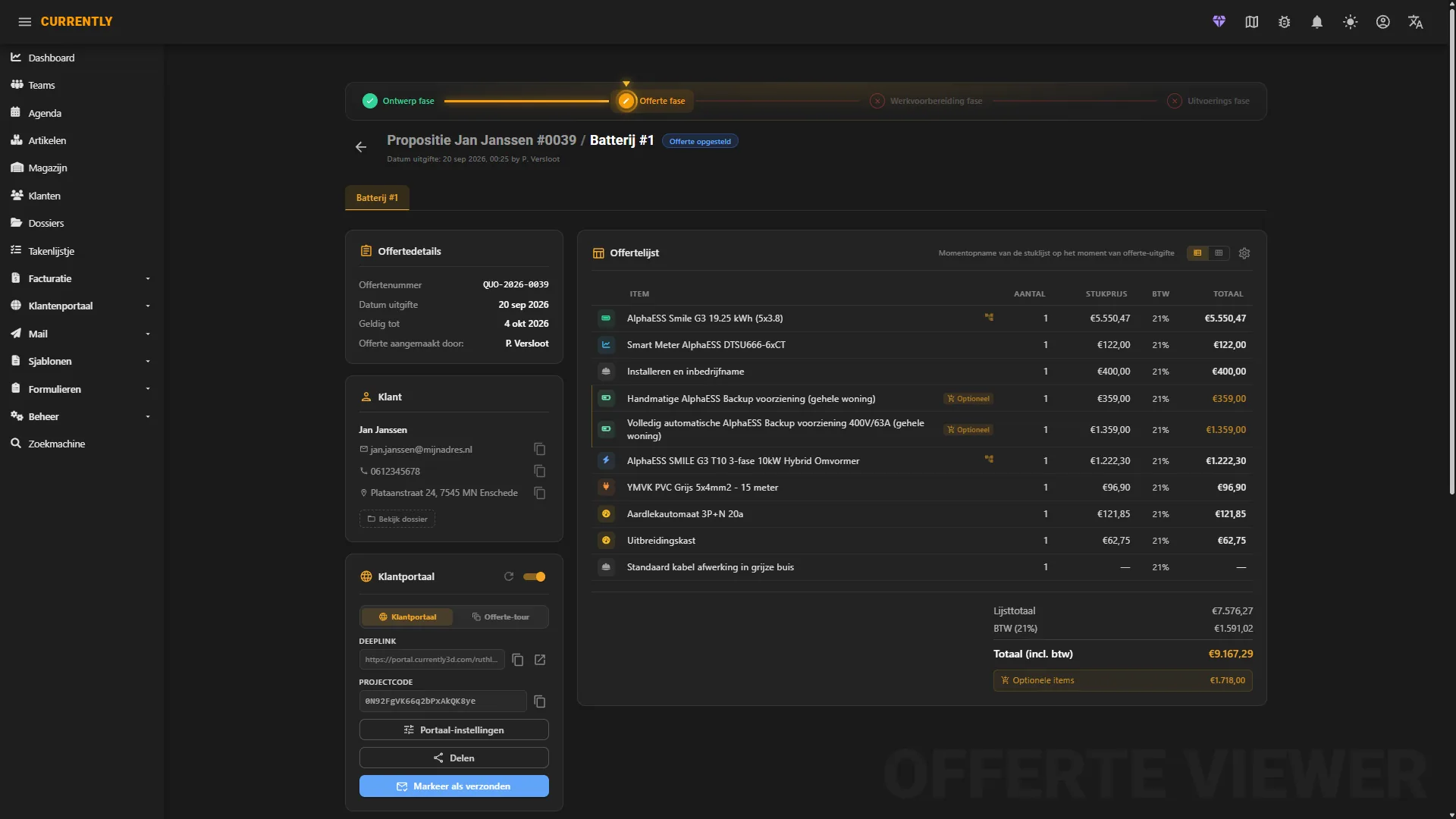
From an enquiry to a signed quote
An enquiry becomes a customer with a file, and the quote hangs off that file. Everything you do afterwards points back to the same place, which is why nobody has to ask where the latest version is.
-
folder_shared
Customers and filesEvery job sits under a customer and a file, with the contacts, addresses, notes and documents in one place instead of in four inboxes.
-
inventory_2
Your own catalogueArticles, series, sets and price agreements, including what your supplier charges you. The bill of materials is built from what you actually sell.
-
draw
Signed in the browserThe customer opens the quote in a portal under your own name and signs it there. No PDF going back and forth, and you can see when it was opened.
From a date in the calendar to a finished job
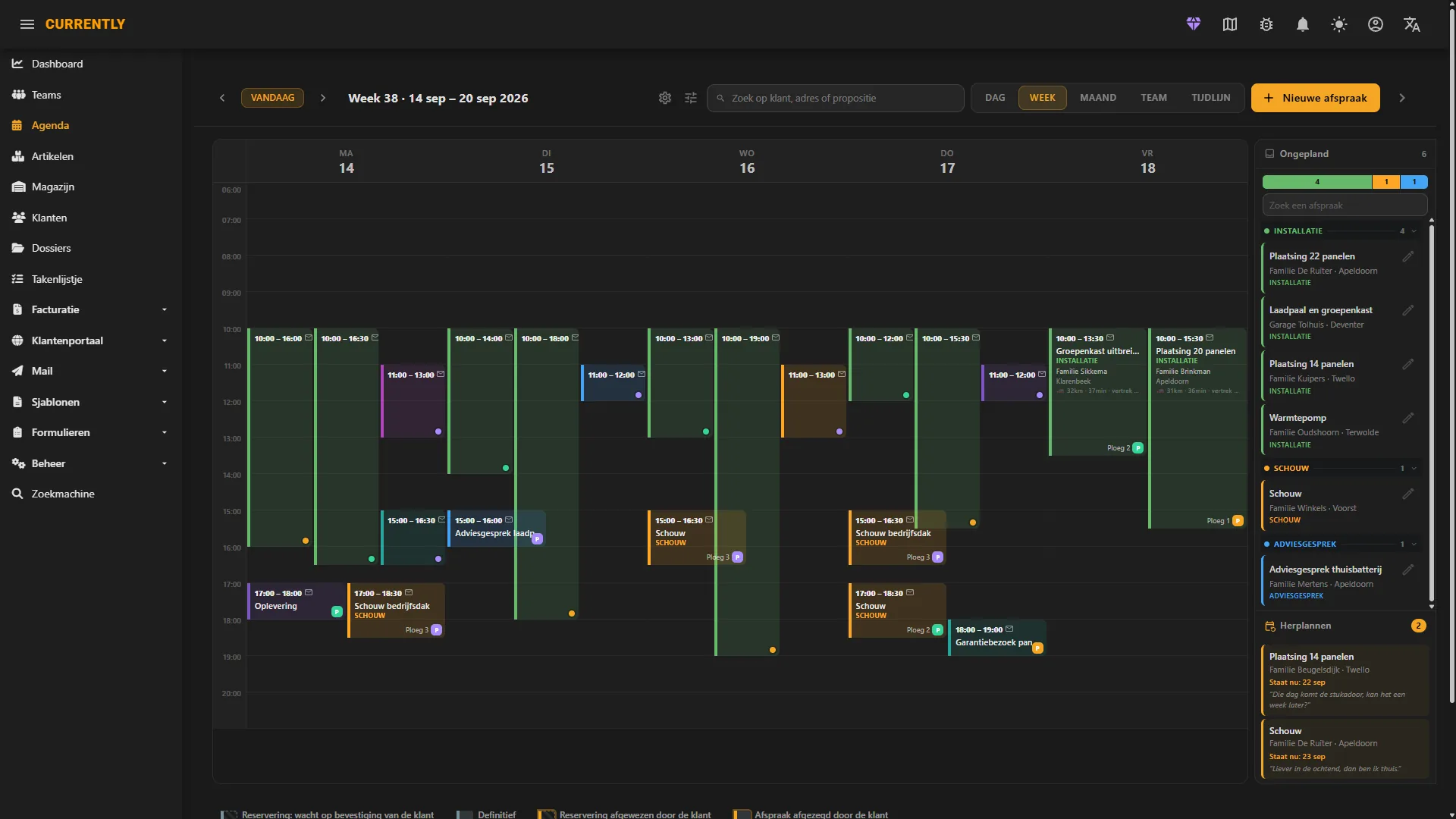
A signed quote becomes a project with a date, a crew and a preparation. The people on site work from their phone, and what they fill in lands straight back in the file.
-
calendar_month
Calendar and crewsPlan installations, assign crews and see the whole week at once, with absences and fixed appointments in the same view.
-
route
Routes and travel timeDrives and arrival times are part of the plan, so you do not find out at seven in the morning, with a loaded van, that the day was never going to fit.
-
smartphone
Field work on a phoneWork preparation, checklists, forms and photos from the site, filed under the right project without anyone retyping anything.
Knowing what is actually in the warehouse
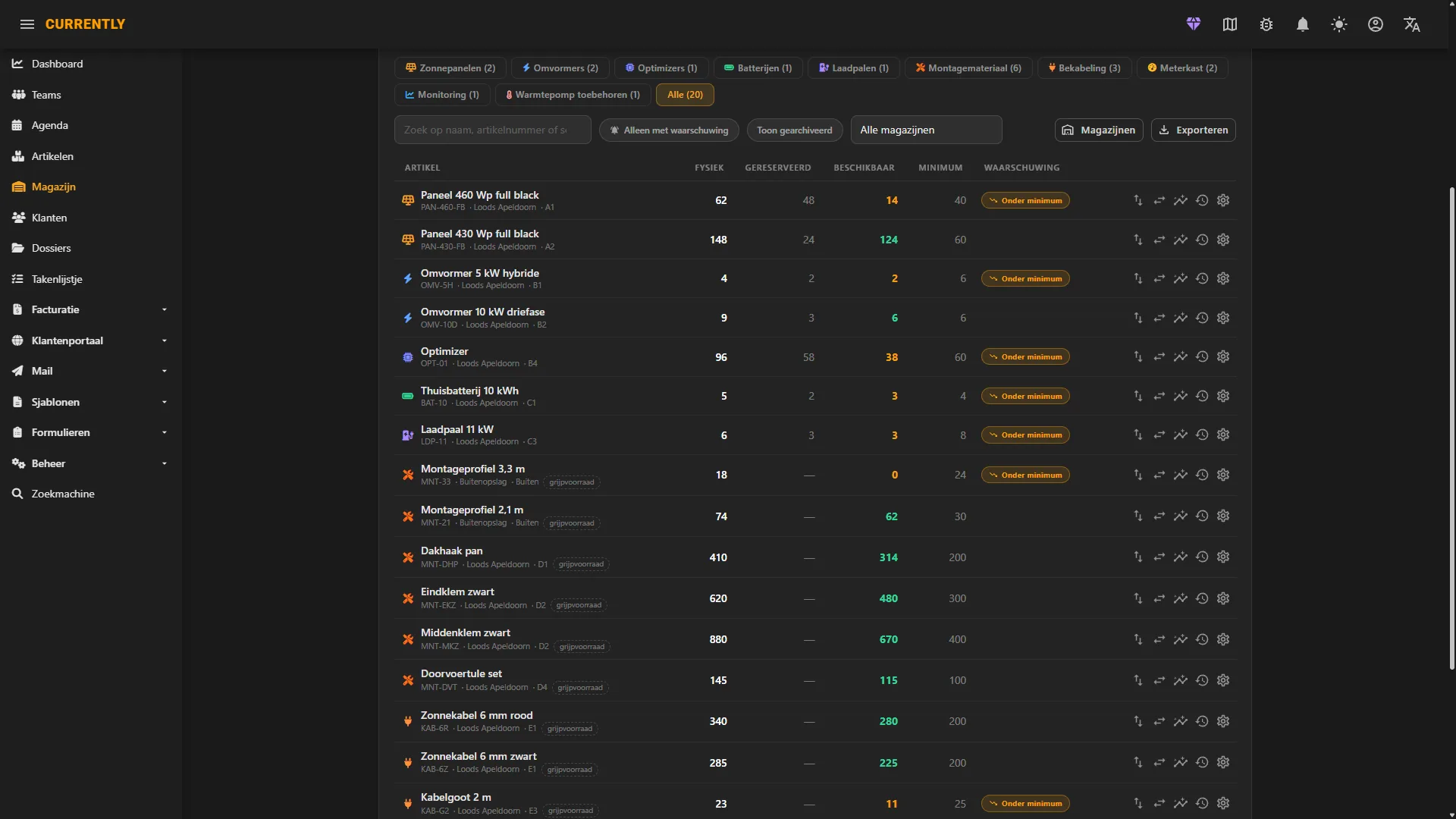
The bill of materials already says what a job needs. From there it is a short step to what you have to order, what is on the shelf and what a supplier has invoiced you.
-
local_shipping
Purchase ordersOrder from the bill of materials of a real job, so what comes in is tied to the project it was meant for.
-
warehouse
Warehouse and stockWhat is on the shelf, what is reserved and what is out on a van, per location, with the bookings behind it.
-
receipt_long
Purchase invoicesThe supplier invoice is matched to the order and the project, which is where the difference between quoted and actual starts to show.
And then knowing what it earned
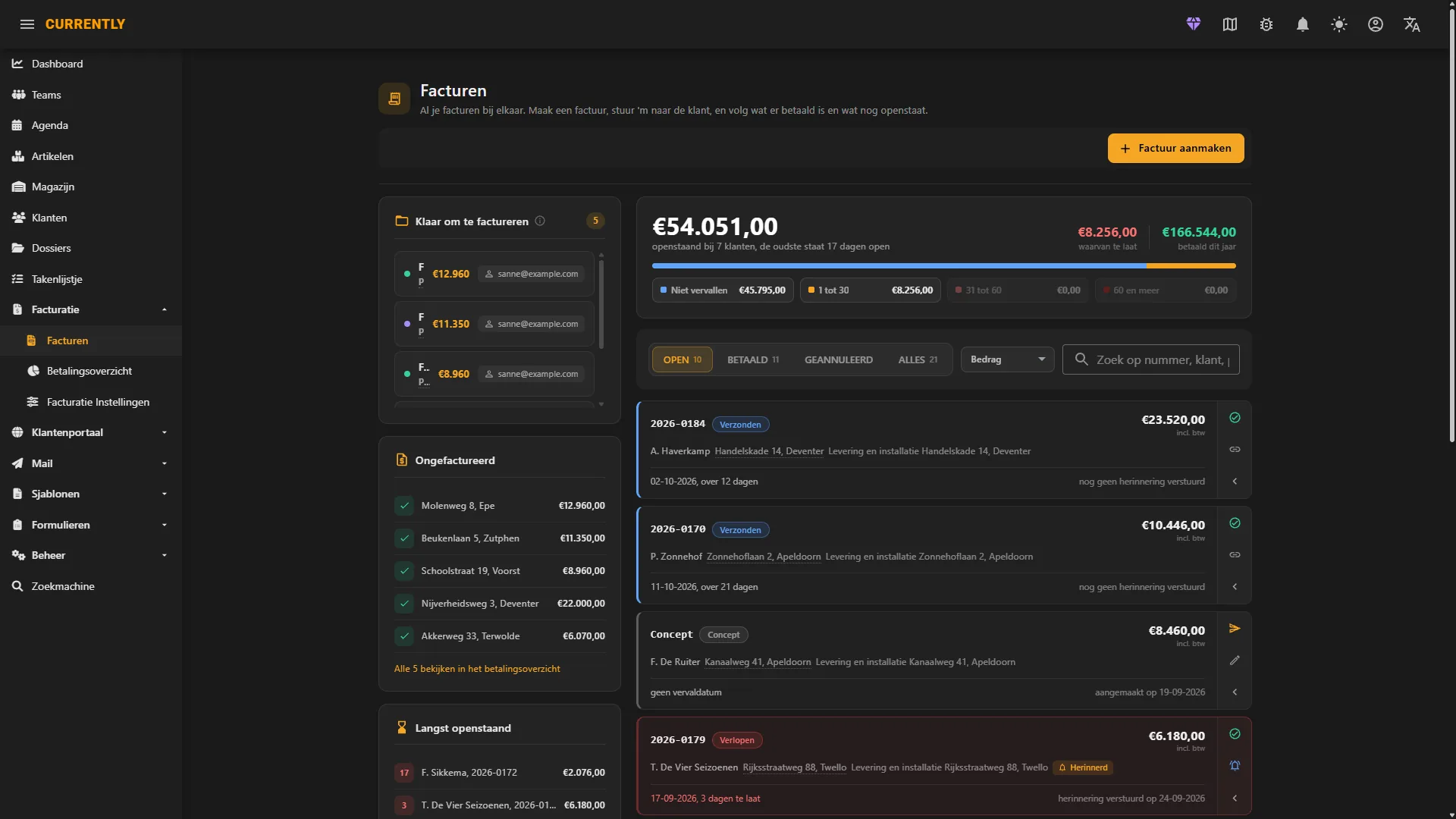
Invoicing comes out of the same file, so it matches what was quoted and what was installed. After that the interesting question: did this job make what you thought it would?
-
payments
Invoices and online paymentSend an invoice and the customer pays it online. You see what is out, what is paid and what is late without keeping a list on the side.
-
calculate
Quoted against actualHours, materials and extra work against what you quoted. Per job, so you find out on job number three instead of at the end of the year.
-
monitoring
Where the money isWhat comes in, what goes out and what is stuck in projects that are half finished.
Your customer sees your company, not ours
The portal, the quotes, the invoices and the mail all go out under your name. And what your bookkeeper needs comes out of it by itself.
Your logo, your colours, your domain
The client portal runs under your own name and, if you want, your own web address. Quotes and invoices go out in your house style.
Straight into your bookkeeping
Invoices carry through to your accounting package automatically, so nobody retypes them and your accountant keeps working the way they always have.
Mail from your own address
Send from your own domain instead of a noreply address, and let the standard messages go out by themselves.
Run your installation business with Currently
14-day Professional trial. No credit card required. From customers and quotes to planning, field work and invoicing.